








Skip to content
RAM CADDSYS
COMOSYS steel detailing software

Steel detailing software, built for automation.

One model from analysis to NC file. The repeat work runs itself.

Works with
Tekla Structures
Autodesk Revit
SAP2000
ETABS
IDEA StatiCa
IFC / DXF

For Tekla detailers

You already know how to detail steel. Here, the joints come to you.

Model in beam groups — truss for truss, purlin for purlin, girt for girt — and IntelliConnect and IntelliClone place and copy the joints for you. Used the beam command? Fine: double-click, change the group. Your macros and your modelling carry straight over.

Asked on the calls

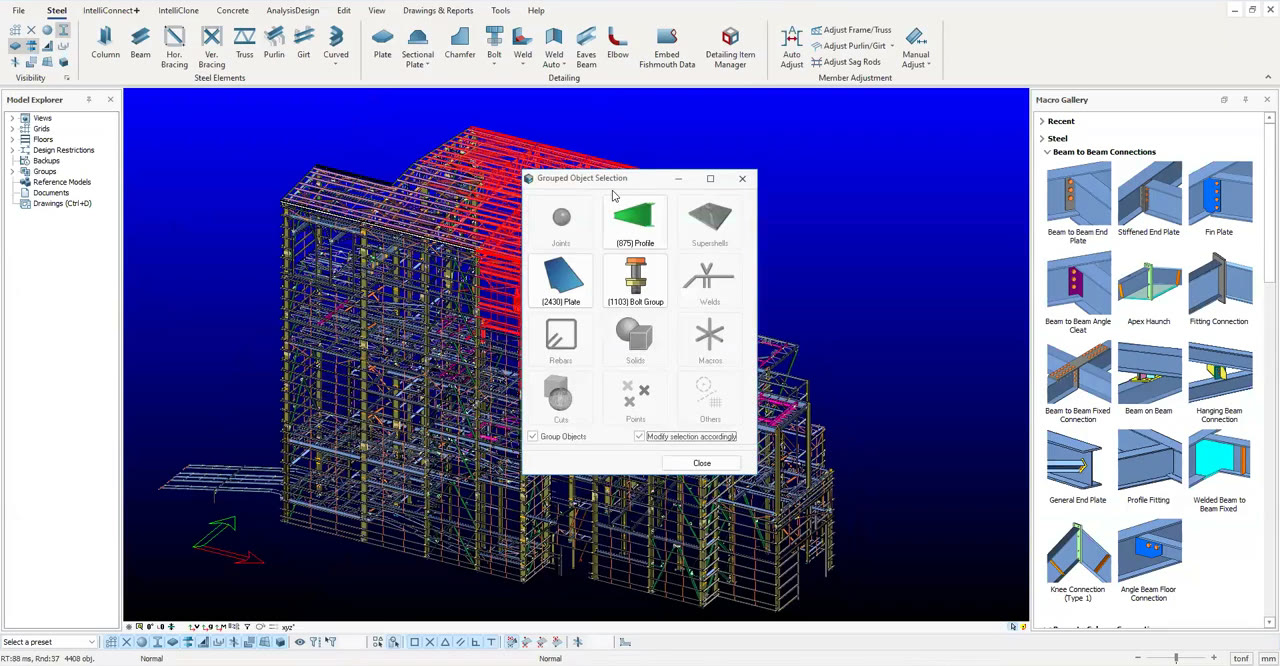
COMOSYS with the grouped-object filter open on a mill-building model — profiles, plates and bolt groups counted as groups

On the shared screen: the object filter on a mill-building model, counting its plates

One environment

Four phases. One model.

No export, no re-model. The model you design is the model you detail, draw and send to the shop.

STEP 01 / 04Model & Design
One model, from day one.

Model & Design

Model the structure once. The finite element engine analyses it in place. Members are designed to IS 800, AISC 360 or EN 1993 — no export to a second package.

Design codesIndian, American, European and Turkish member design inside the same environment as the detailing.
FE ANALYSISIS 800 / AISC 360 / EN 1993MEMBER DESIGN
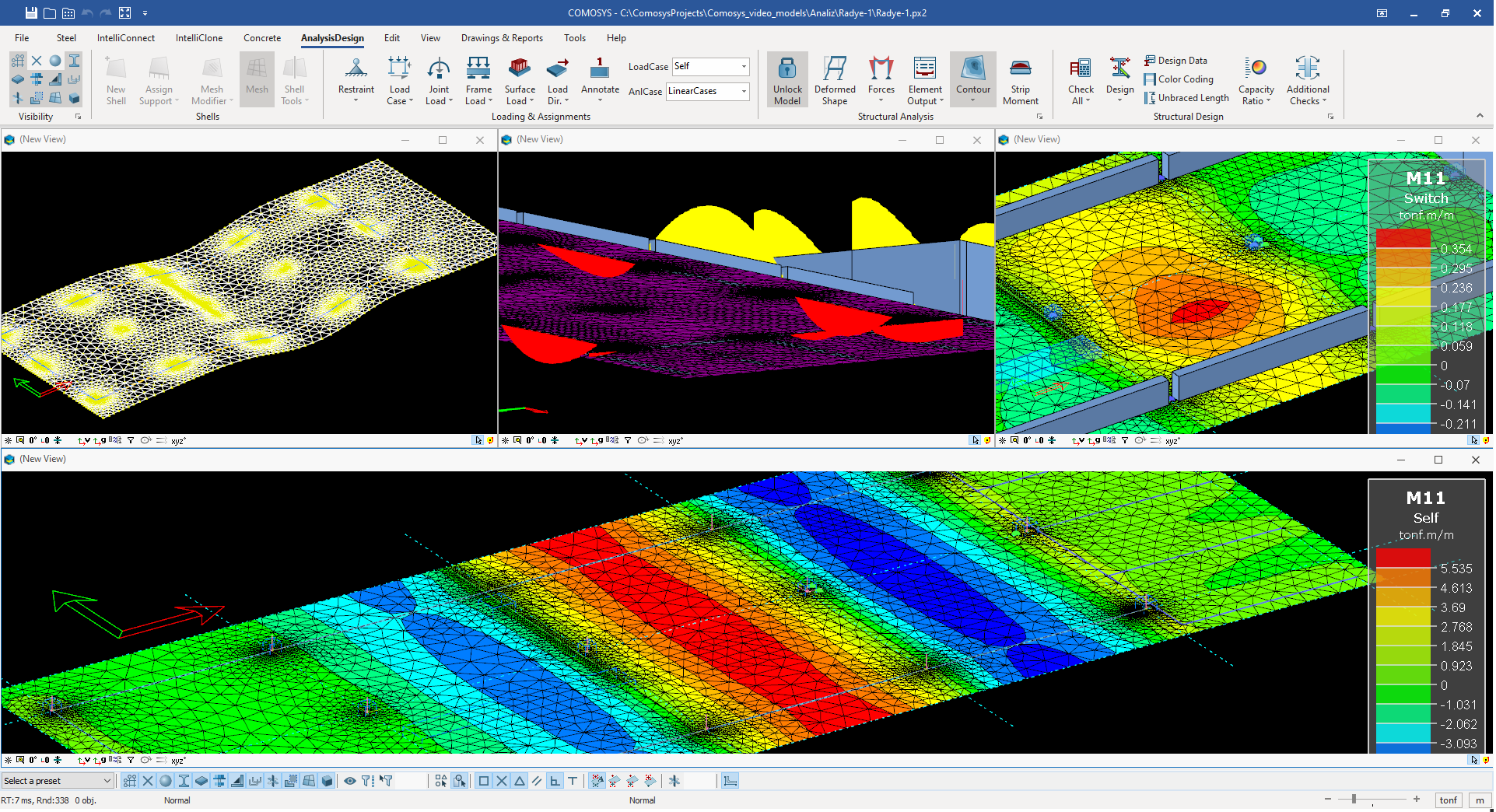
COMOSYS analysis and design — FEA mesh, load cases and contour results
01 / 04
STEP 01MODEL & DESIGN

Connect

IntelliConnect places the joints. IntelliClone copies one right joint everywhere it fits. COMCLASH finds the clashes. AutoAdjust re-fits members when the geometry moves.

Still yoursAny joint can be changed by hand afterwards — the rule starts it, you finish it.
INTELLICONNECTINTELLICLONECOMCLASHAUTOADJUST
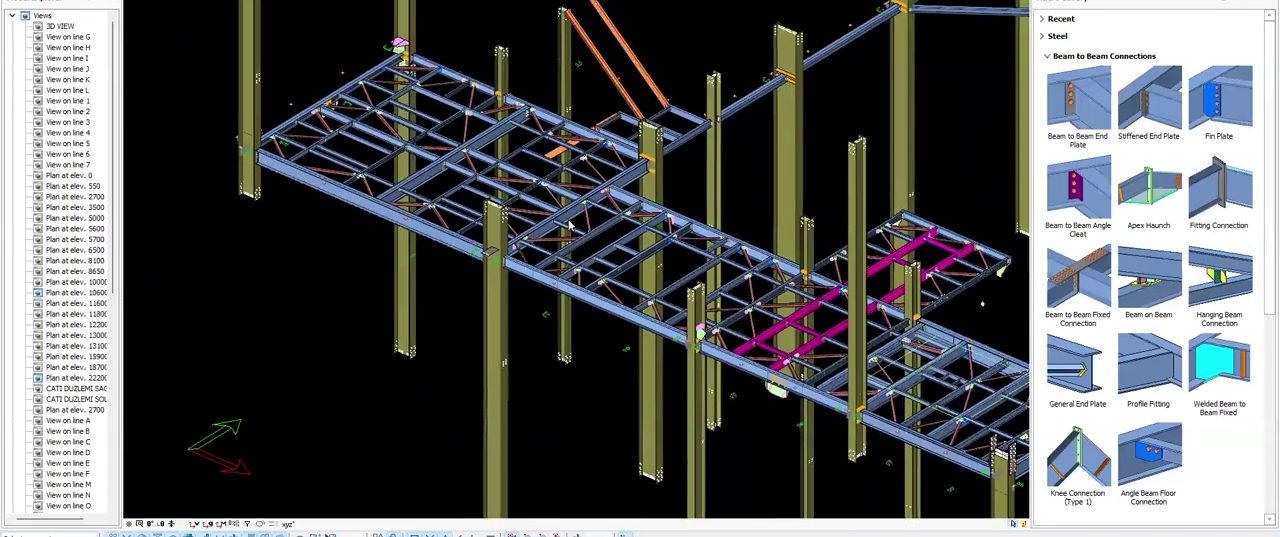
COMOSYS — joints placed across a mill structure by IntelliConnect, the Macro Gallery open
02 / 04
STEP 02CONNECT

Drawings & BBS

GA, shop and assembly sheets generate from the detailed model. Marks and dims are placed. The rebar module writes the bar bending schedule from the 3D bars.

To Indian practiceBBS with bar marks, shapes, lengths, weights and totals; IS 2502 / IS 456 formats.
GA / SHOP / ASSEMBLYMARKS & DIMSBBS
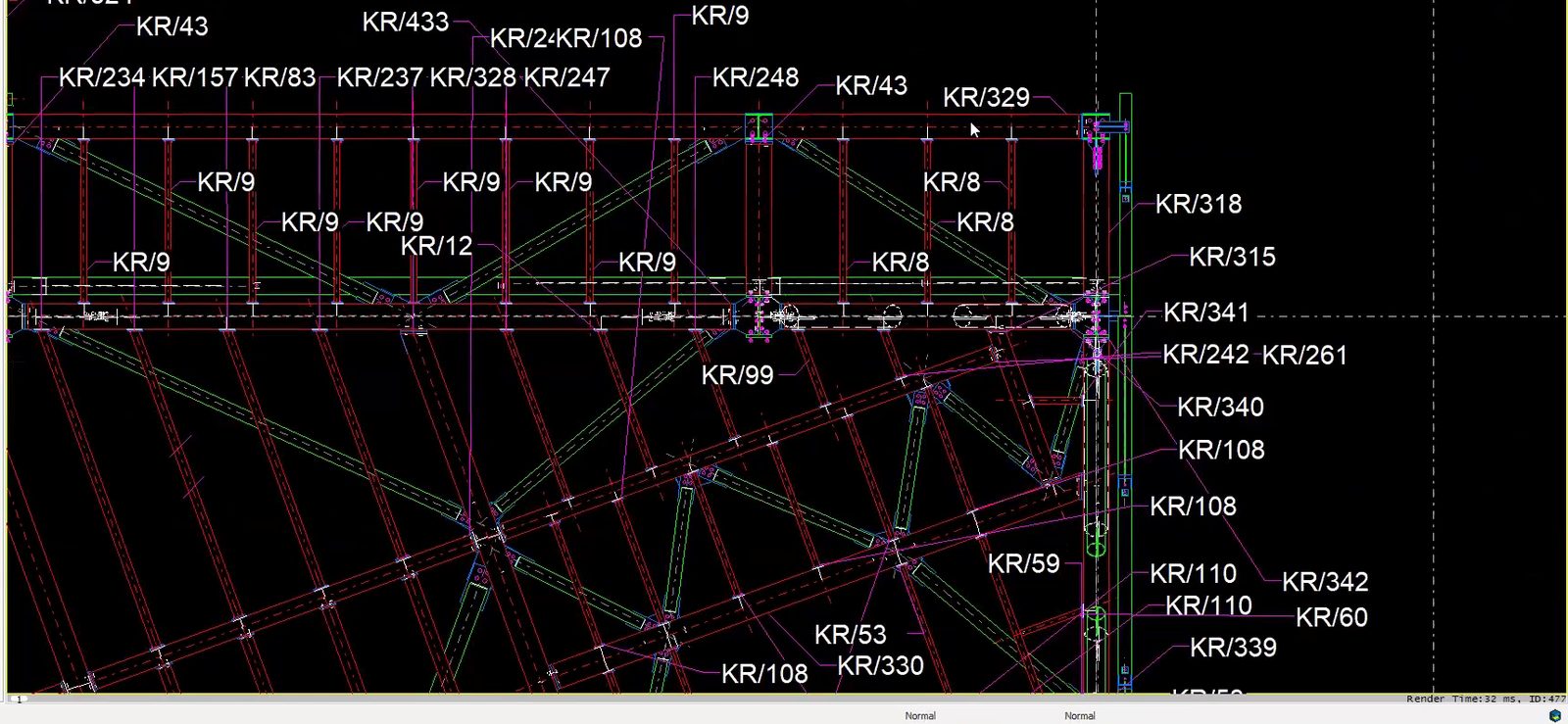
COMOSYS Drawings — a general arrangement plan with assembly marks placed by the model
03 / 04
STEP 03DRAWINGS & BBS

Fabricate

DSTV / NC files go straight to the cutting line. IFC carries the model to Tekla or any BIM platform. DXF covers any CAD seat.

Round tripTekla Structures exchange over IFC — member geometry, sections and assembly data preserved.
DSTV / NCIFCDXFTEKLA ROUND-TRIP
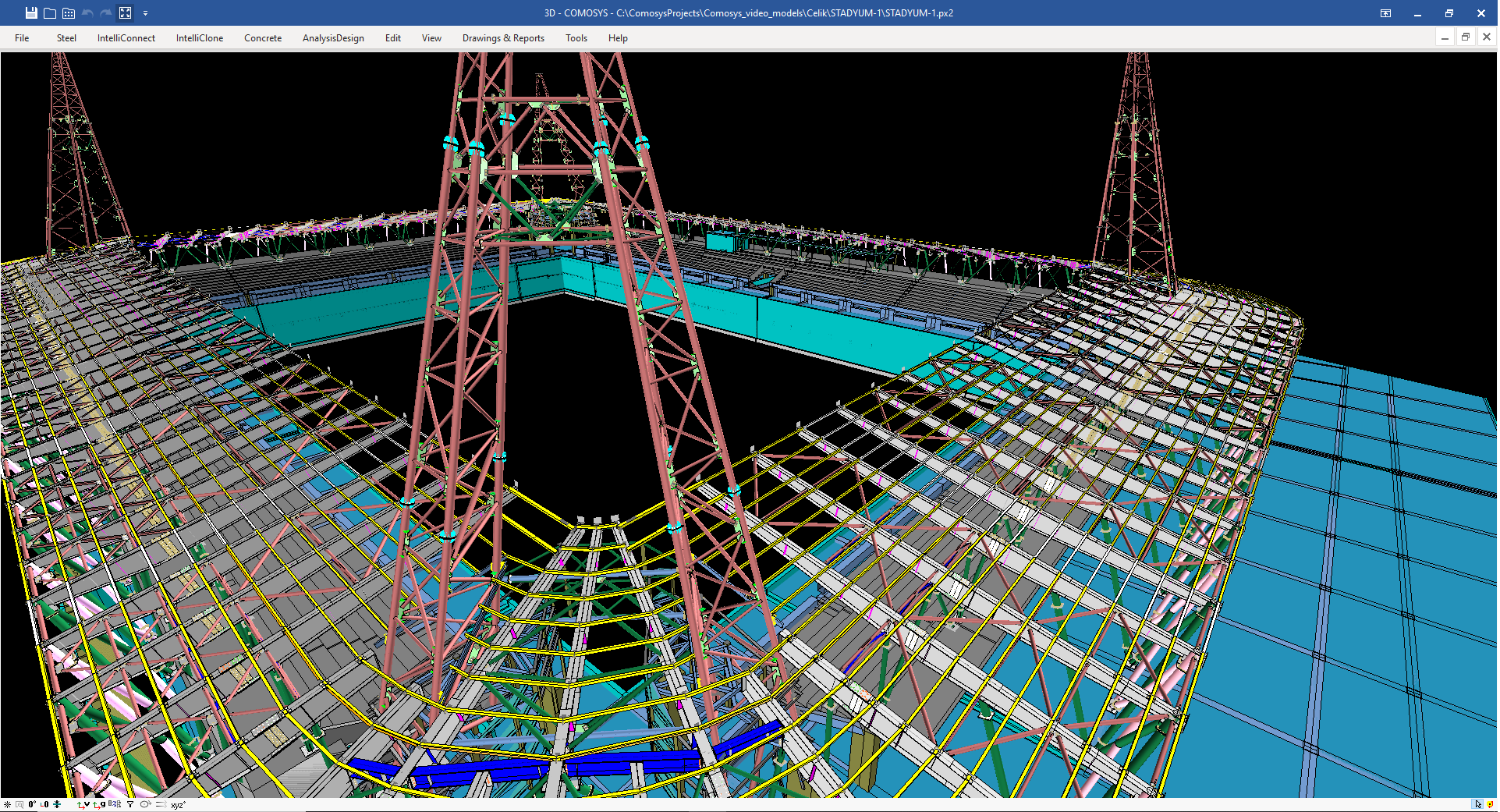
COMOSYS detailed 3D steel — plates and connections ready for NC output
04 / 04
STEP 04FABRICATE

The automation engines

The repeat work, done for you.

Five buttons take the repeat work off your desk. Press one: the drawn frame runs it, then dissolves into the real recording.

Click it — the frame runs it, then the real recording takes over.

Thousands of joints. One click.

IntelliConnect reads how the members meet and puts the right joint on every one — beams, columns, trusses, bracings, purlins, girts, base plates. Bolted or welded. Whole model, one click.

IntelliConnect

Drawn frame

12 joints to place on this frame

Click it — the frame runs it, then the real recording takes over.

Get one joint right. Copy it everywhere.

Detail one joint the way you want it. IntelliClone copies it to every joint like it — and fits each copy to its own members. No rework.

IntelliClone

Drawn frame

One purlin cleat, detailed by hand

Click it — the frame runs it, then the real recording takes over.

Design changed? The model catches up.

AutoAdjust turns the analysis model into a detailing model. When a section or a level changes, member lengths, joint positions and plate sizes move with it. No hand fixes.

AutoAdjust

Drawn frame

Rafters IPE 300 — the engineer is about to change them

Click it — the frame runs it, then the real recording takes over.

Do it once. Repeat it a thousand times.

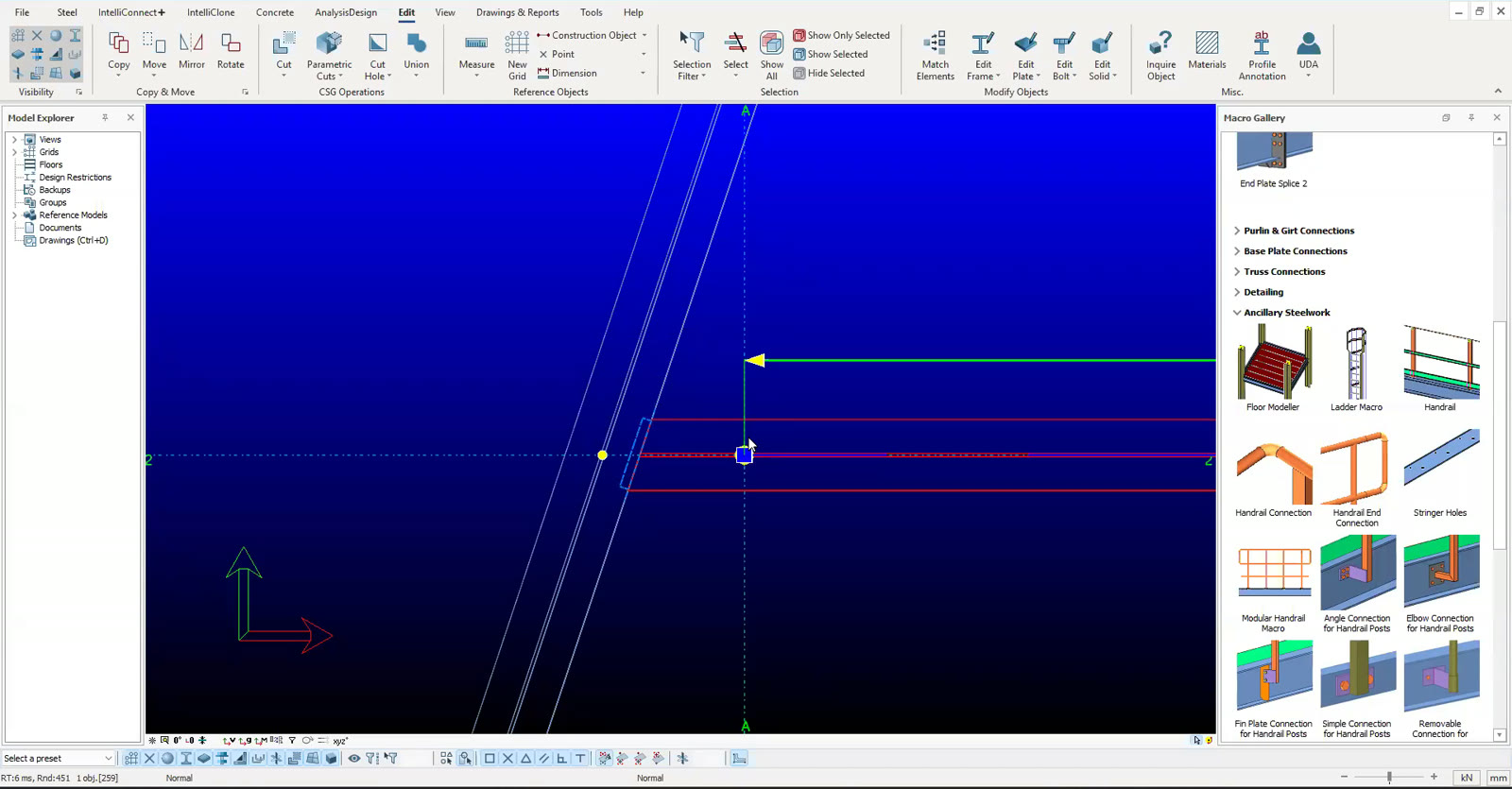
Smart Macros record a job you do again and again and run it on every member like it — purlin cleats, stiffeners, sag rods. Your own parts too, through the .NET API.

Smart Macros

Drawn frame

Stiffener macro ready — every knee and apex

Click it — the frame runs it, then the real recording takes over.

Joints checked to code, as you detail.

Every joint is checked to code while you detail — bolts and welds sized, capacity checked, a report per joint for the engineer.

Connection Design

Drawn frame

12 joints, unchecked

GA sheet — annotated live

Drawings & BBS

Drawings come out of the model. Automatically.

Shop, assembly and GA sheets come straight off the 3D model. Plans, elevations, sections and details, with the title block, dims and BOM filled in. For rebar, the BBS comes out to IS 2502 / IS 456, ready for the yard.

Conventional detailing tools

  • ViewsDrawings and views from the modelmanual
  • MarksMarks annotatedmanual
  • DimsDimensions placedmanual
  • OverlapsOverlapping annotations kept apartmanual
  • ChangesMacro parts redrawn after a model changemanual
  • SheetSheet size, scale, crop and filtersmanual
  • CheckCheck and issuemanual

COMOSYS

  • ViewsDrawings and views from the modelautomatic
  • MarksMarks annotatedautomatic
  • DimsDimensions placedautomatic
  • OverlapsOverlapping annotations kept apartautomatic
  • ChangesMacro parts redrawn after a model changeautomatic
  • SheetSheet size, scale, crop and filtersmanual
  • CheckCheck and issuemanual

AutomaticManual

Five of the seven drawing steps are automatic. Two stay manual: the sheet and the check.

COMOSYS GA plan with assembly marks and dimensions placed by the model

Marks & dims — placed by the model

Bar bending schedule

IS 2502 — Beam B1 (sample)

MarkDiaShapeLengthNosTotal mkg
01164200416.826.5
02123650414.613.0
03813402837.514.8
04102400614.48.9
Total, this beam63.2
Worked for one sample beam.

Rebar Detailing Software

Rebar and BBS, from the same model.

Model the rebar for any shape and take the BBS straight from it — IS 2502 / IS 456, no CAD round-trip.

  • Bar marks, shapes, lengths, weights, totals — done for you
  • Macros place the same cage across thousands of members
  • Steel and rebar in one model on composite jobs

Drawings and BBS update on their own for macro-made rebar only. Bars you place by hand stay as you drew them — on purpose, so your work is never overwritten.

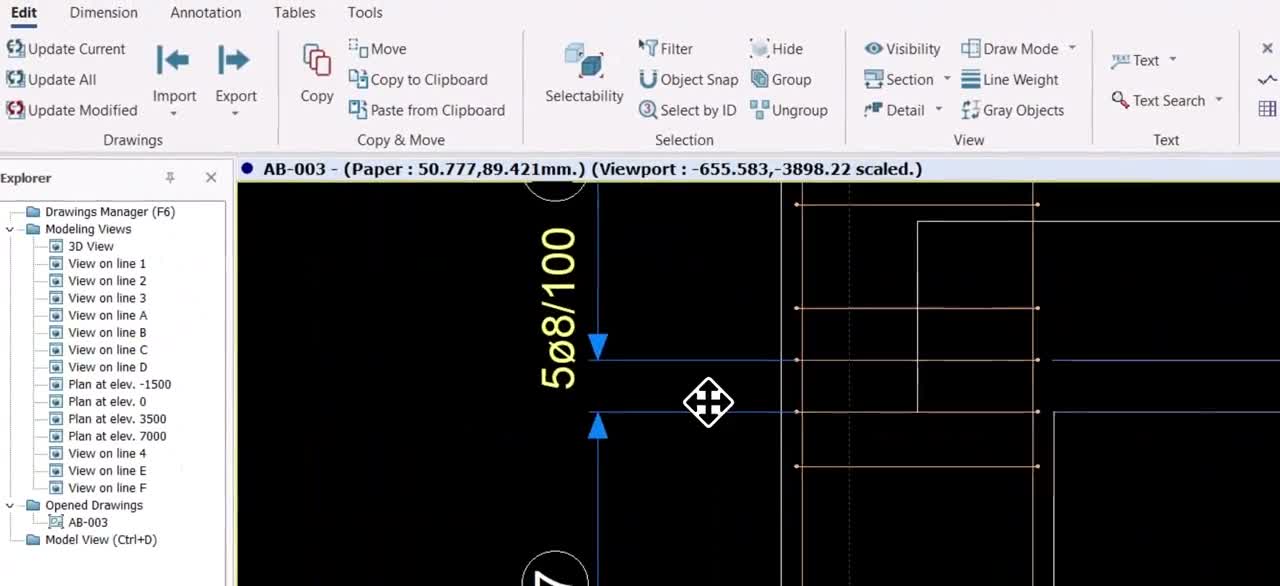
BBS generated from the 3D bars — recorded

Fabrication

The shop cuts from your model.

No re-drawing for the shop. DSTV, NC and DXF files come out of the same model you detailed.

The model you detailed. Same file — nothing re-drawn for the shop.

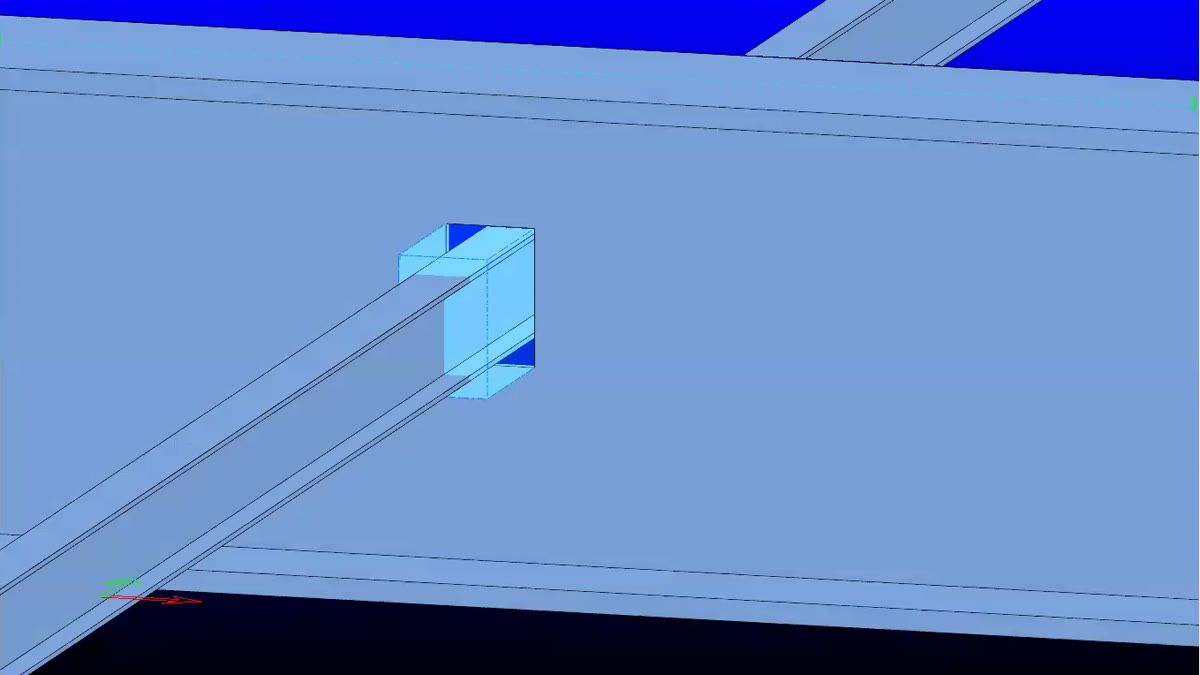
COMOSYS model — a beam coped where it meets another memberDSTV

Beam line

Drill, cope and cut — straight from the member.

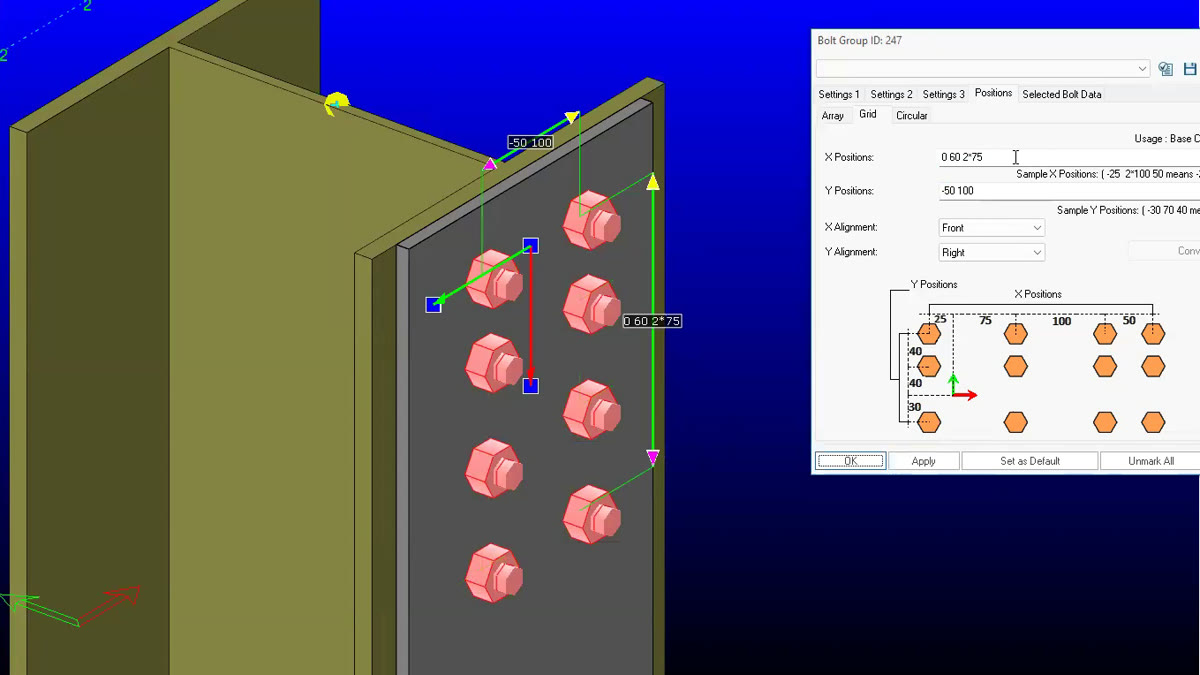
COMOSYS model — a column plate with its bolt-hole pattern set outNC

Plate processing

Plates and their holes, for the plasma and laser table.

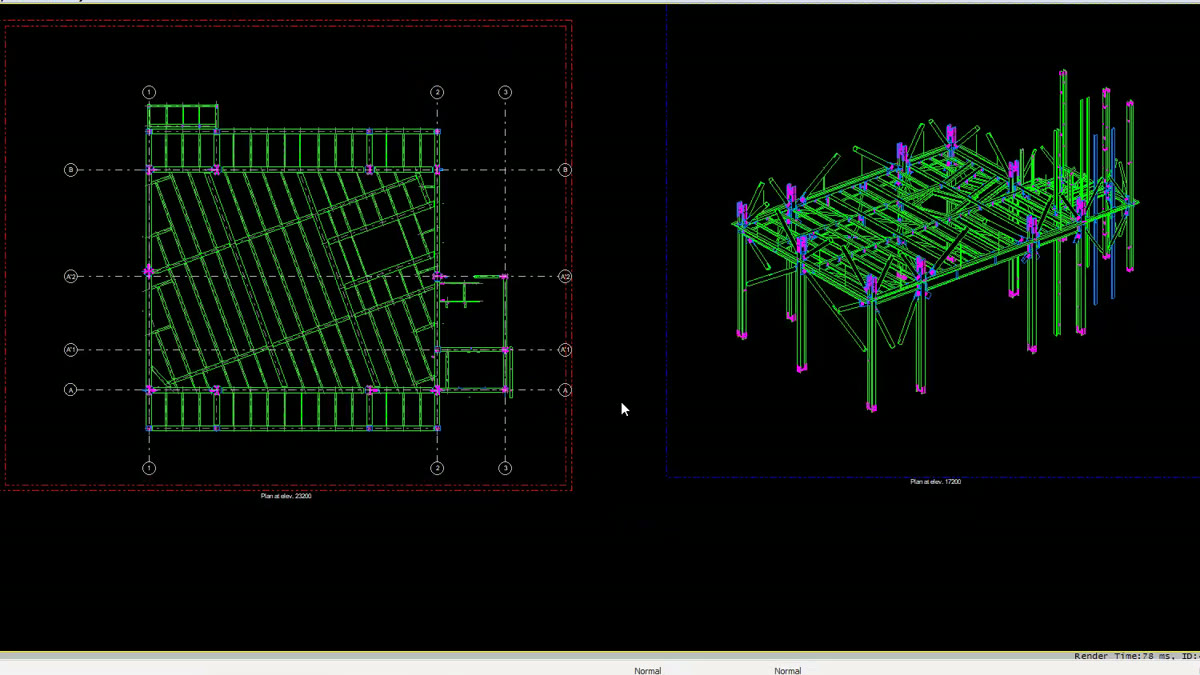
COMOSYS drawing side — a general-arrangement plan at a new elevationDXF

Any CAD platform

2D drawings and 3D wireframes for the tools that read DXF.

Integrations

Works with your analysis and BIM stack

Bi-directional exchange with Tekla Structures and Revit, analytical model import from SAP2000 and ETABS, a direct IDEA StatiCa link for connection design, and IFC / DXF for everything else.

Talk to us about your stack
Tekla Structures

Design Codes

AISC, Eurocode & IS 800

Members are designed to your code — Indian, American, European or Turkish.

India

IS 800:2007

Steel member design

USA

AISC 360

Steel member design

Europe

EN 1993

Steel member design

+ 1 more national codes

Turkish standards Türkiye

Compare

Why detailing teams are looking now.

Five reasons we hear — and one job you can test on your own model for each.

Why detailing teams are looking now.
Licence after 2027COMOSYSBetter in this row: Buy it or rent it — your call, quoted per team.Test it on your modelGet the terms in writing before your last renewal.Conventional detailing softwareRent only from 1 Jan 2028 on the leading platform.
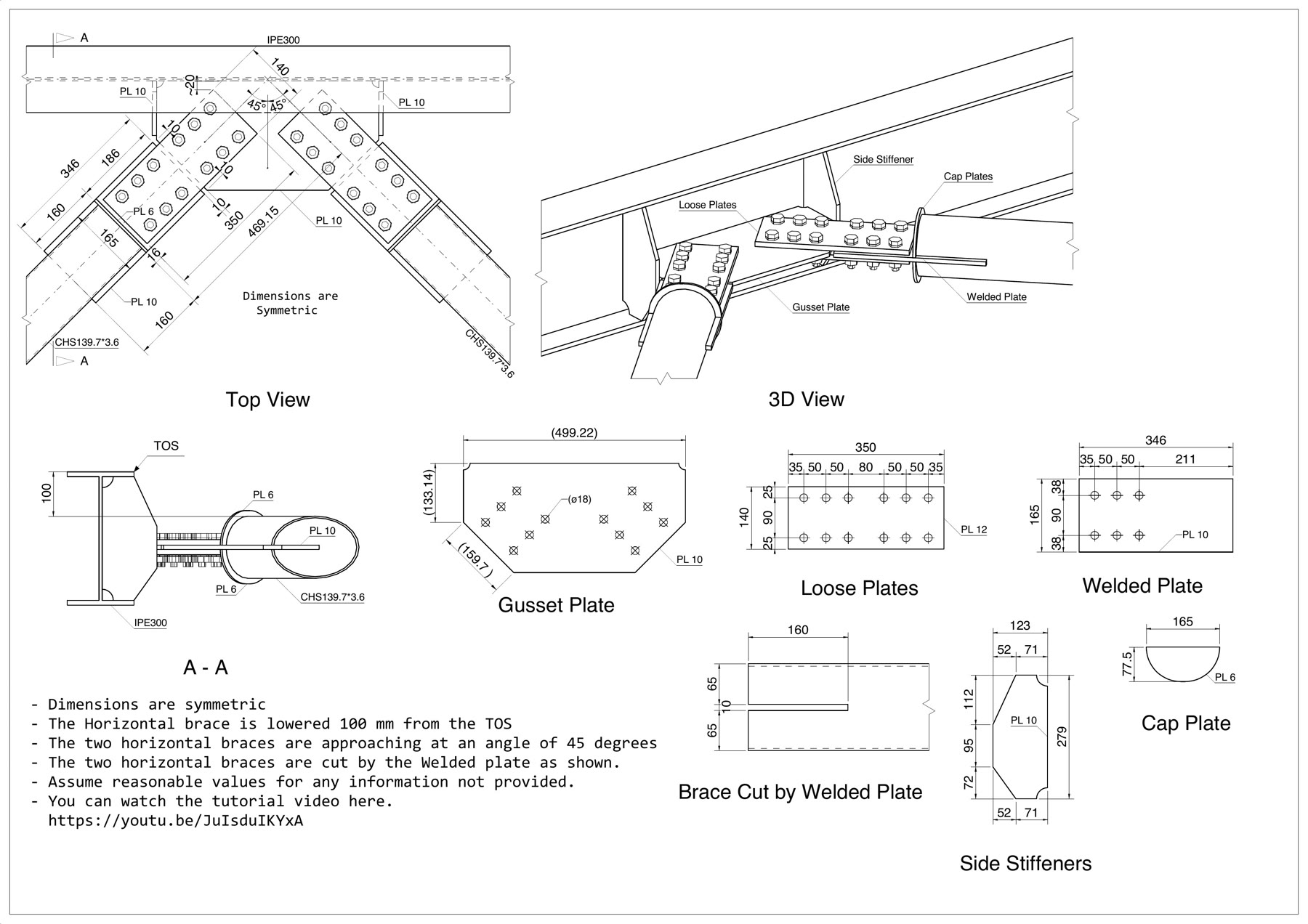
Hard jointsBetter in this row: Placed by rule, copied everywhere.Test it on your modelBring your hardest joint to the trial.Built by hand, joint by joint.
Too many macro settingsBetter in this row: Macros adjust themselves when a section changes.Test it on your modelChange one section size. Watch what follows.Templates with many inputs to keep right.
Drawing cleanupBetter in this row: Sheets come out done; macro parts redraw on change.Test it on your modelMake a GA. Count the hand edits.More time cleaning drawings than modelling.
Re-doing work between toolsBetter in this row: One model, analysis to NC file.Test it on your modelAnalysis model in, DSTV file out — no export.Typed in again in each package.

Column two is what detailing teams commonly report about conventional tools; licence dates from the vendor's published notice. COMOSYS checked against COMOSYS 2026.

The learning curve

First login to automatic drawings.

The order a Tekla detailing team actually learned it in — seven sessions, each one building on the last.

01Getting set up

Settings, direct entry, and the rule: never break the analysis model.

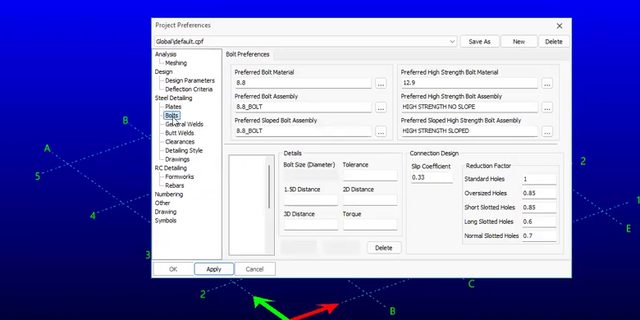
  • Project preferences dialog — bolt distances and settings

02Plates & cuts

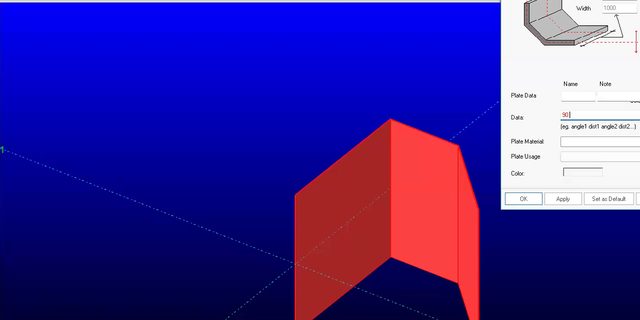
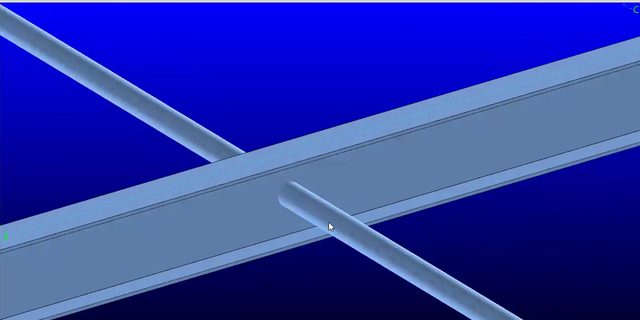
Plates, cuts, fitting to a face. Seven modelling jobs handed out.

  • A bent plate placed from the plate dialog
  • A part cut where two members cross

03Joints & saved presets

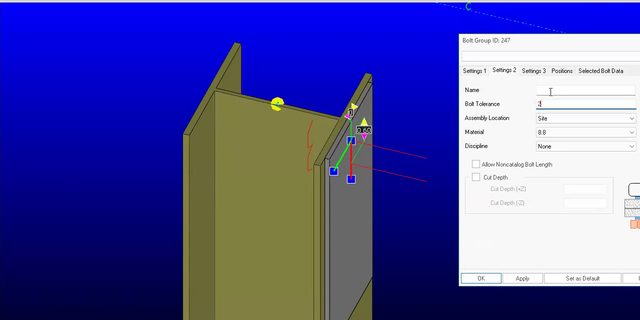
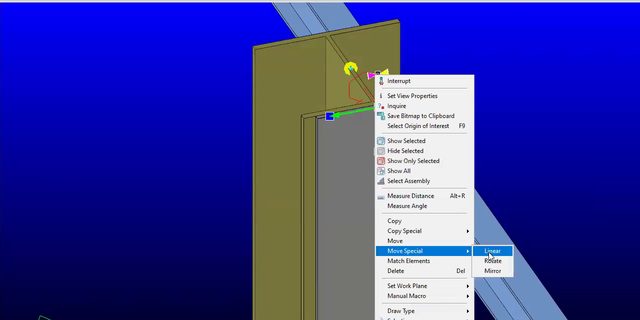
Detail a joint by hand, then save it as a one-click preset.

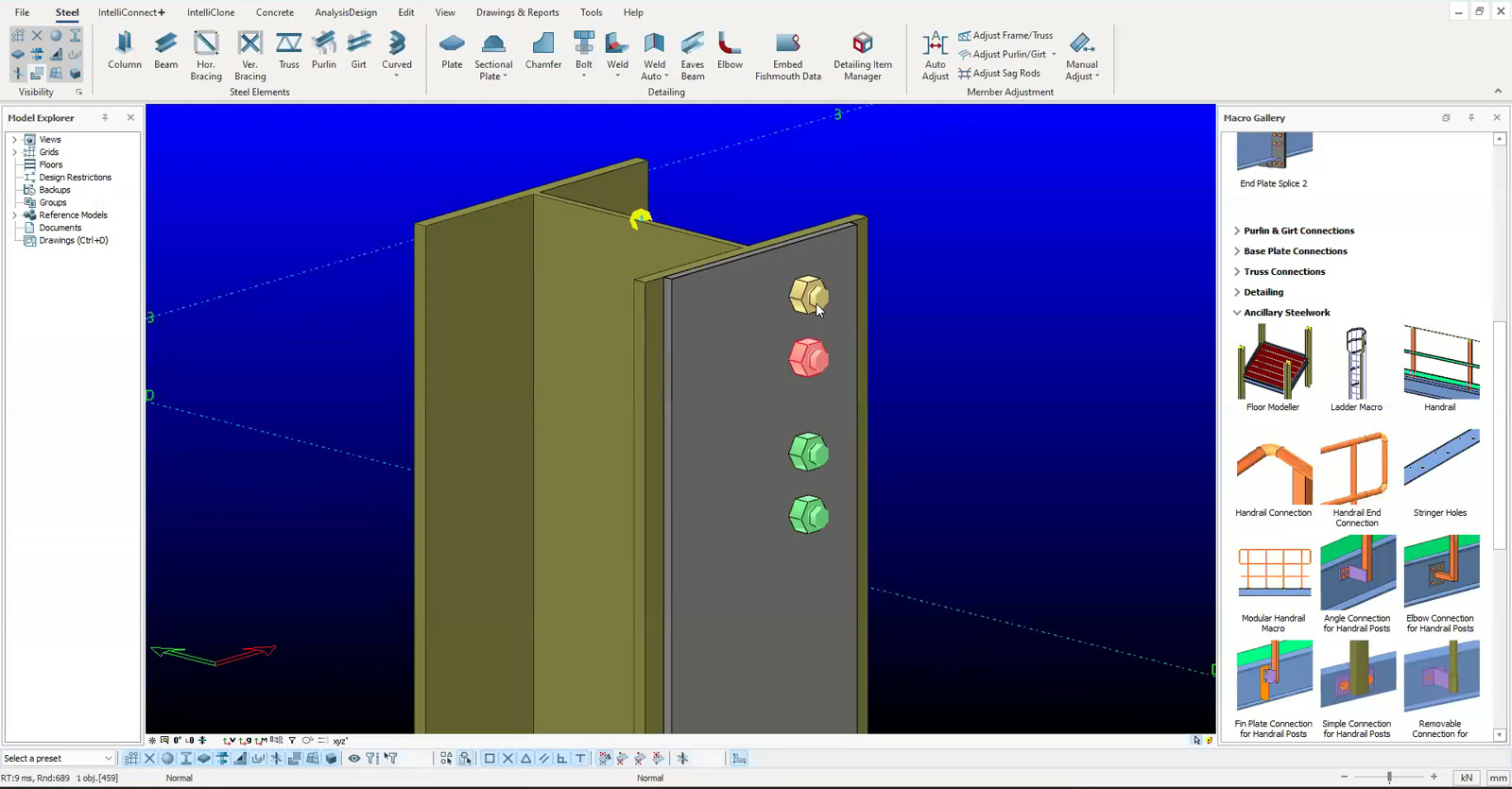
  • The bolt dialog on a column plate
  • A plate's context menu — save as preset
What makes it faster: the joint library fills up — one click per saved joint.

04Drawings & views

Model side vs drawing side, GA sheets, views and filters.

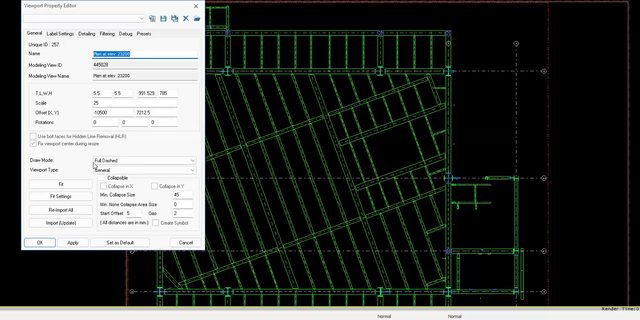
  • A GA plan with the viewport properties dialog
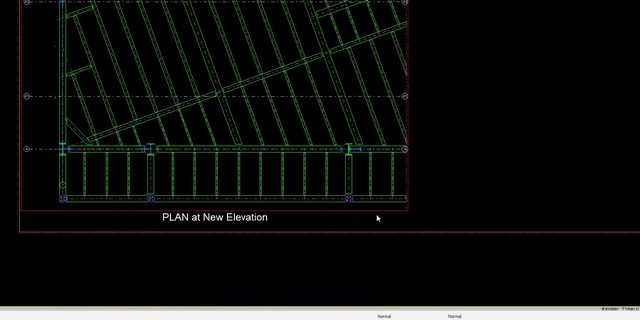
  • A GA plan sheet on the drawing side

05GA sheets in depth

Sheet sizes, view scale, draw modes, cropping, group filters.

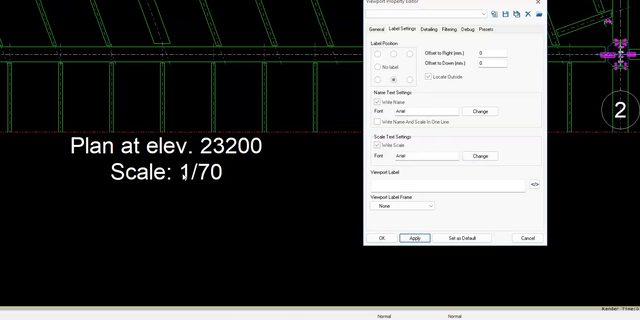
  • A viewport label — plan at elevation, scale 1:70
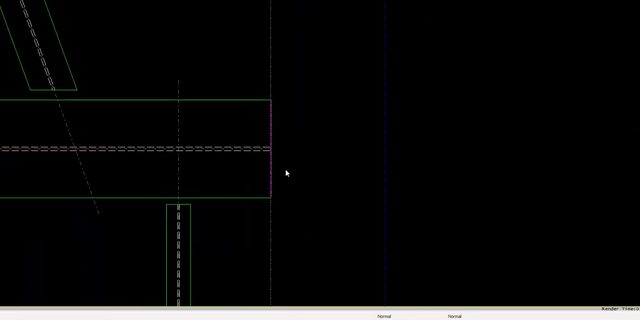
  • Cropping a viewport on the sheet

06Marks & dims

Marks, custom fields, units and precision.

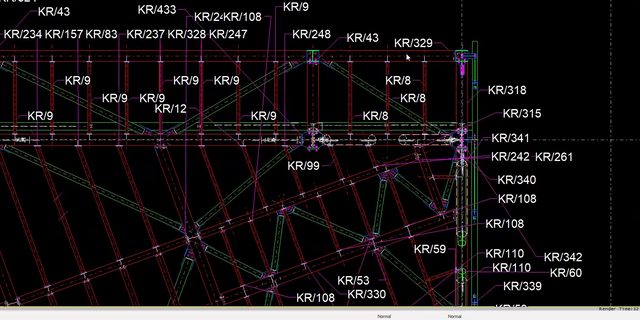
  • A GA plan with assembly marks placed
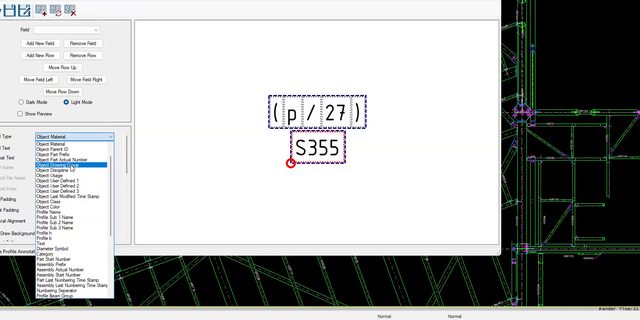
  • The annotation editor — profile and grade in the mark
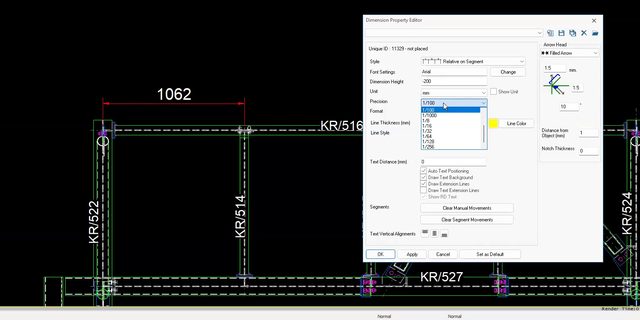
  • A dimension with the units and precision dialog

07Auto drawingsUpcoming

Tables, layouts, assembly and single-part drawings.

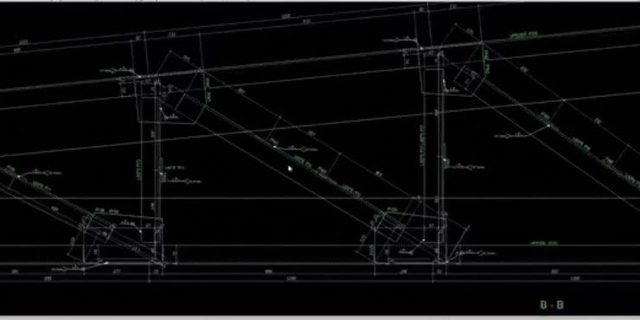
  • An assembly drawing generated from the model
Ask about detailer training

Looking for COMOSYS Training?

Talk to our team about COMOSYS training and onboarding, or browse the live and self-paced courses on RAM CADDSYS Campus.

Frequently Asked Questions

What COMOSYS does, what it costs to learn, and how the licence works. Book a demo.

General

Get started

Put COMOSYS to work
on your next project.

Steel and rebar detailing — the repeat work runs itself, the shop gets NC files. Supplied in India and South Asia by RAM CADDSYS — licensing, training and engineering support from one team.

Request a quote

Chennai, IN

Mon–Sat, 9–6 IST

Singapore, SG

Mon–Fri, 9–6 SGT

Dubai, AE

Mon–Fri, 9–6 GST